3. How to Create the Background
Step 1
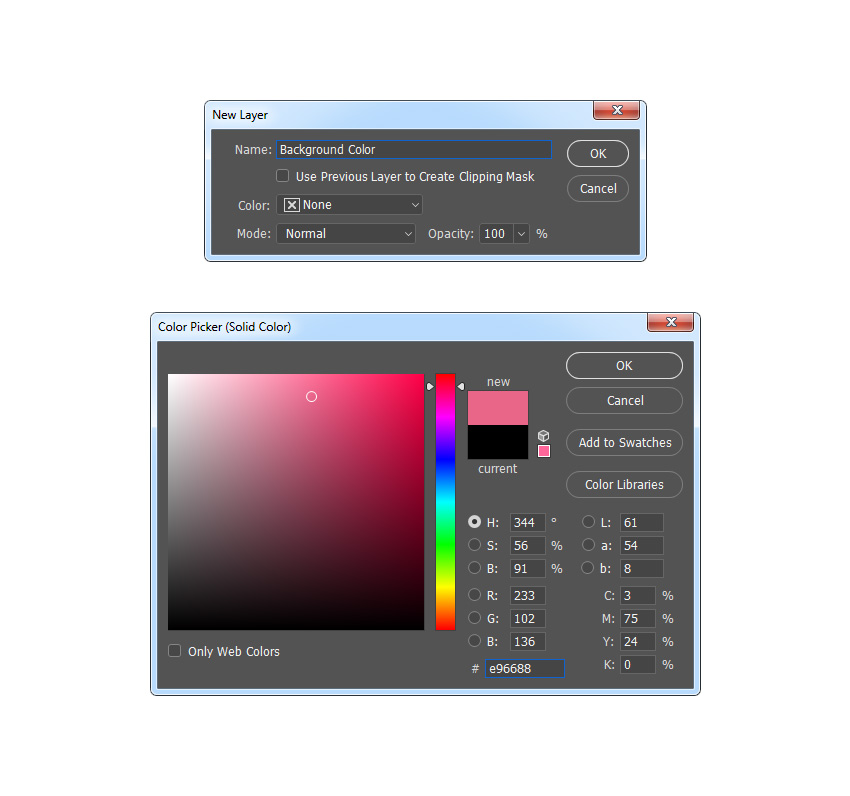
In this section, we are going to create the background. Select the Background layer, go to Layer > New Fill Layer > Solid Color to create a new solid color fill layer, name it Background Color, and choose the color #e96688.
Step 2
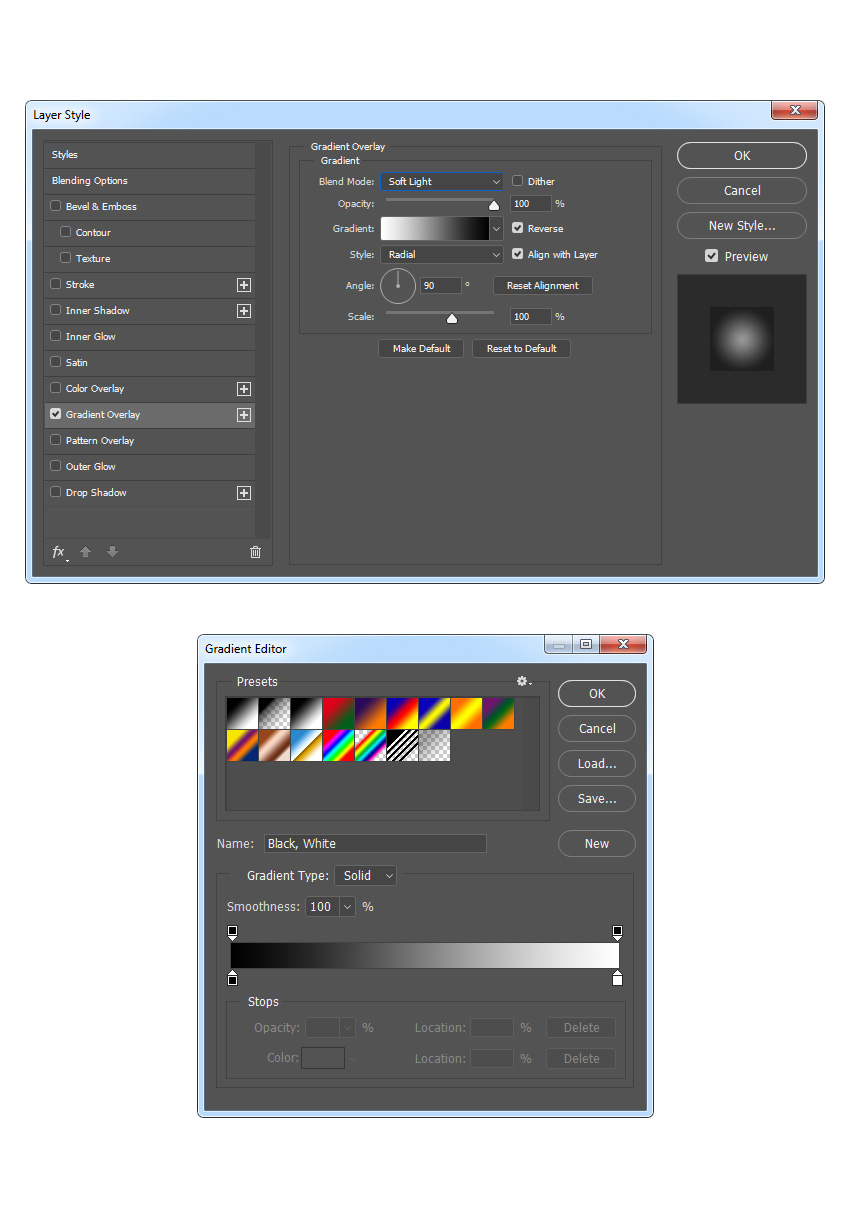
Now Right-click on this layer, choose Blending Options, check Gradient Overlay, and use the settings below: