6. How to Blur the Reflection
Step 1
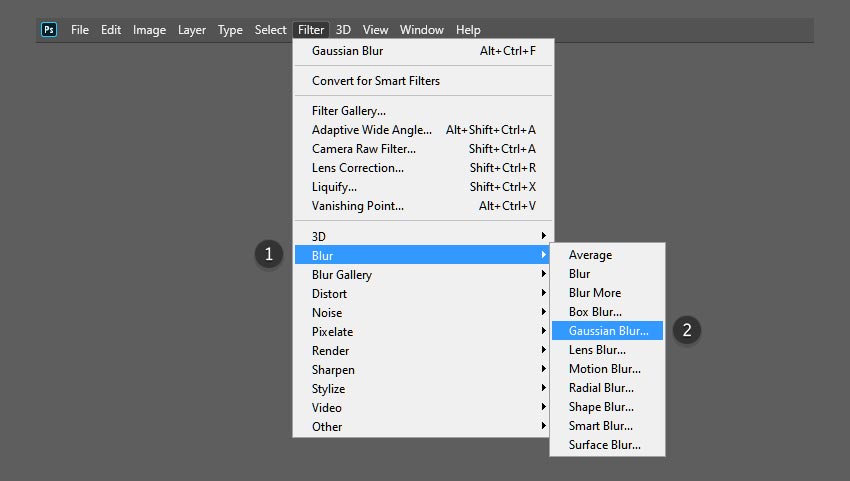
We can also make some adjustments to the reflection to sell the image and to make it a bit more believable. First, we can add a bit of blur to the reflection layer. To do this, go to the top menu bar and select Filter > Blur > Gaussian Blur.
Step 2
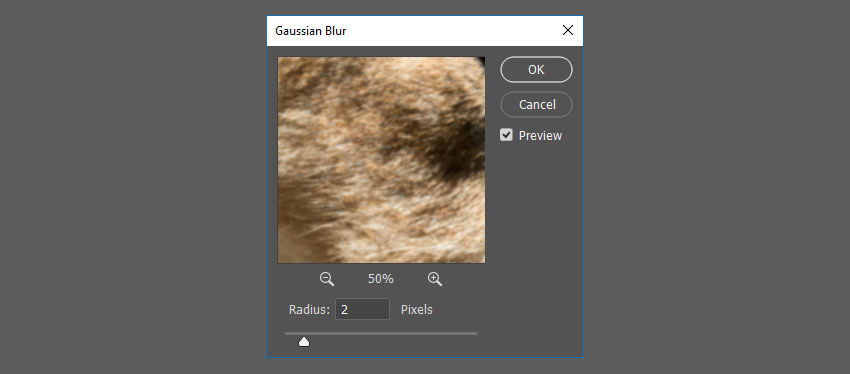
In the Gaussian Blur window, select a Radius of up to 5 Pixels and click OK.
Step 3
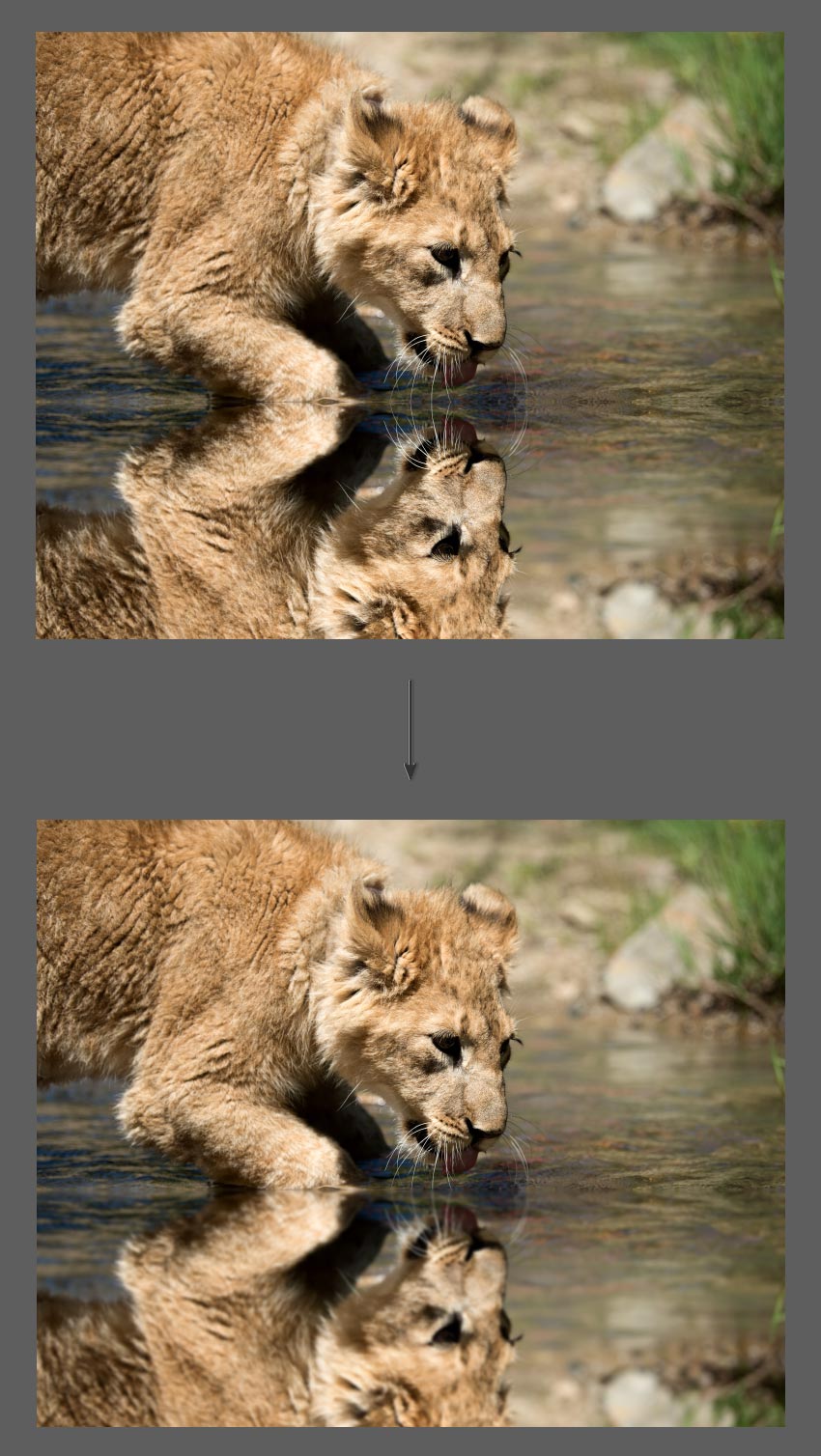
This will help blur the reflection layer. Adjust the blur radius to your liking by repeating the steps above.
7. How to Add Wave Distortion to the Reflection
Step 1
Next, we will add a bit of distortion to the reflection to give it a slight “ripple” effect. To do this, go to the top menu bar and select Filter > Distort > Wave.
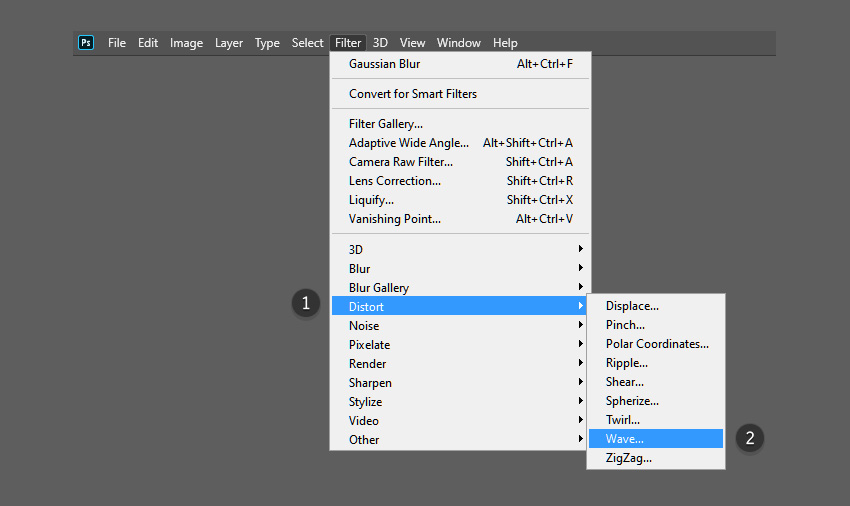
Step 2
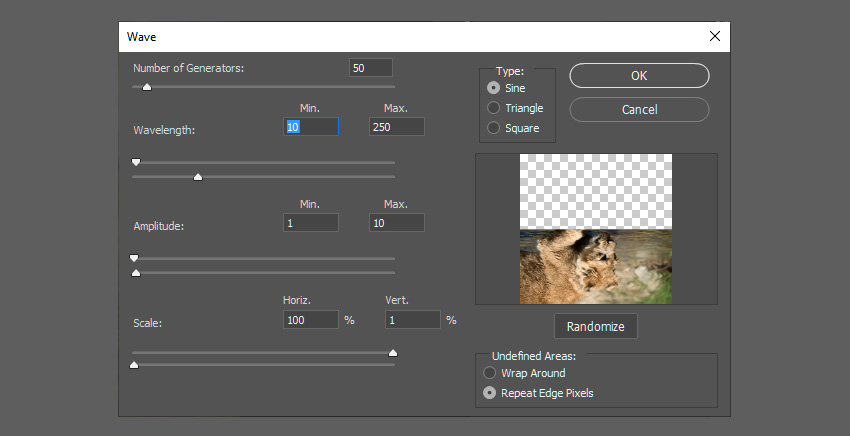
Adjust the wave values to the following:
- Number of Generators: 50
- Min Wavelength: 10
- Max Wavelength: 250
- Min Amplitude: 1
- Max Amplitude: 10
- Scale Horiz: 100%
- Scale Vert: 1%
Feel free to play around with these values to find a look that suits your image.