
January 30, 2024 by admin
HTML/CSS Reference for DMET 155/355
Margins and Padding
margin and padding are the two most commonly used properties for spacing-out elements. A margin is the space outside something, whereas padding is the space inside something.
Change the CSS code for h2 to the following:
h2 {
    font-size: 1.5em;
    background-color: #ccc;
    margin: 20px;
    padding: 40px;
}
This leaves a 20-pixel width space around the secondary header and the header itself is fat from the 40-pixel width padding.
The four sides of an element can also be set individually. margin-top, margin-right, margin-bottom, margin-left, padding-top, padding-right, padding-bottom and padding-left are the self-explanatory properties you can use.
The Box Model
Margins, padding and borders are all part of what’s known as the Box Model. The Box Model works like this: in the middle you have the content area (let’s say an image), surrounding that you have the padding, surrounding that you have the border and surrounding that you have the margin. It can be visually represented like this:
You don’t have to use all of these, but it can be helpful to remember that the box model can be applied to every element on the page.
See the Pen Overflow by Nicholas D’Angelo (@ndangelo) on CodePen.
Borders
Borders can be applied to most HTML elements within the body.
To make a border around an element, all you need is border-style. The values can be solid, dotted, dashed, double, groove, ridge, inset and outset.
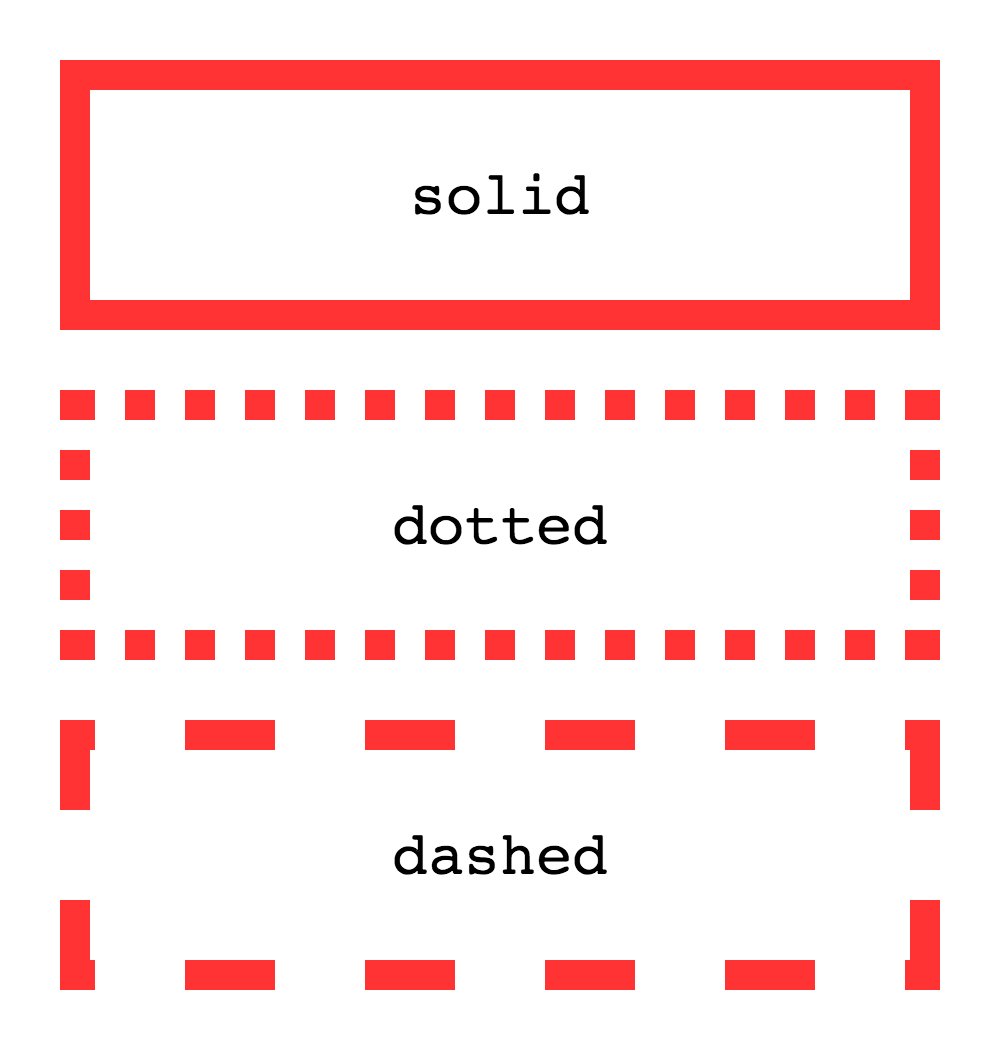
border-width sets the width of the border, most commonly using pixels as a value. There are also properties for border-top-width, border-right-width, border-bottom-width and border-left-width.
Finally, border-color sets the color.
h2 {
    border-style: dashed;
    border-width: 3px;
    border-left-width: 10px;
    border-right-width: 10px;
    border-color: red;
}
This will make a red dashed border around all HTML secondary headers (the h2 element) that is 3 pixels wide on the top and bottom and 10 pixels wide on the left and right (these having over-ridden the 3 pixel wide width of the entire border).
Putting It All Together
The code below covers all of the CSS methods in this section. If you save this as your CSS file and look at the HTML file then you should now understand what each CSS property does and how to apply them.
body {
    font-family: arial, helvetica, sans-serif;
    font-size: 14px;
    color: black;
    background-color: #ffc;
    margin: 20px;
    padding: 0;
}

/* This is a comment, by the way */

p {
    line-height: 21px;
}

h1 {
    color: #ffc;
    background-color: #900;
    font-size: 2em;
    margin: 0;
    margin-bottom: 7px;
    padding: 4px;
    font-style: italic;
    text-align: center;
    letter-spacing: 0.5em;
    border-bottom-style: solid;
    border-bottom-width: 0.5em;
    border-bottom-color: #c00;
}

h2 {
    color: white;
    background-color: #090;
    font-size: 1.5em;
    margin: 0;
    padding: 2px;
    padding-left: 14px;
}

h3 {
    color: #999;
    font-size: 1.25em;
}

img {
    border-style: dashed;
    border-width: 2px;
    border-color: #ccc;
}

a {
    text-decoration: none;
}

strong {
    font-style: italic;
    text-transform: uppercase;
}

li {
    color: #900;
    font-style: italic;
}


/* Table Style are not covered in this class */

/*table {
    background-color: #ccc;
}*/
Assignment
- Use the “Putting it all Together” css code above and create a simple HTML page incorporating every CSS element.
- If you finish early, incorporate styles that are not within the “Putting it all Together” section. You can do some crazy things! You can use everything you’ve learned in class so far.
- Remember to use a separate stylesheet, add “border-box” to your CSS, and lang=”en”.