
February 8, 2023 by admin
How to Create a Botanical Wedding Invite in InDesign
5. How to Export Your Finished Invite for Printing
Step 1
Go to File > Export, and choose Adobe PDF (Print) from the Format menu at the bottom of the Export window. Name the file and hit Save.
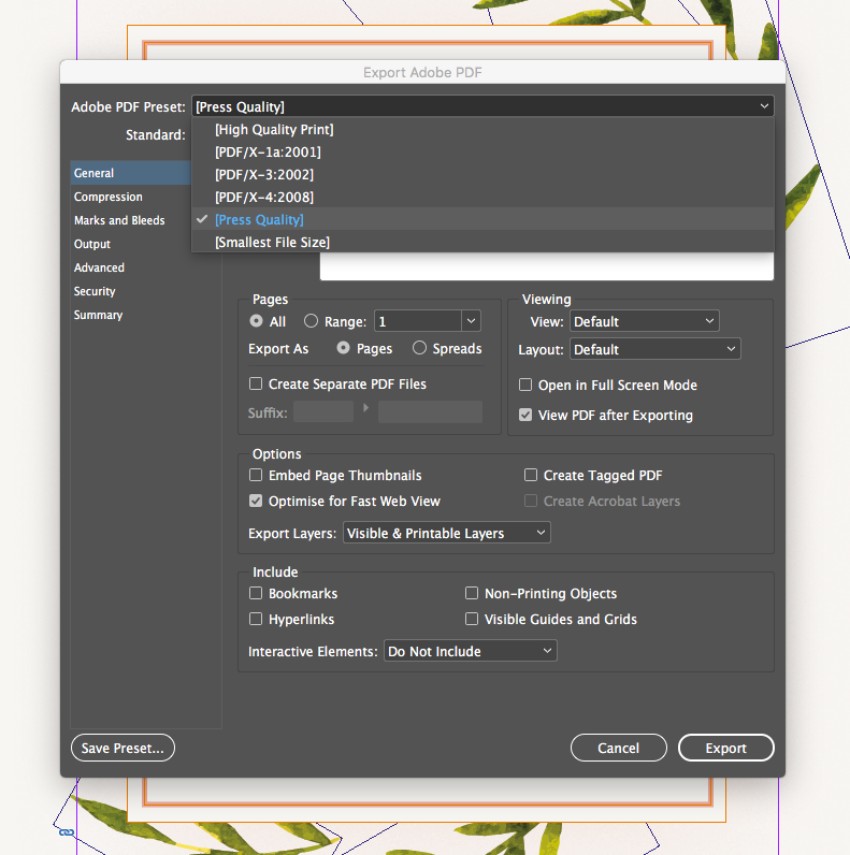
In the Export Adobe PDF window that opens, choose [Press Quality] from the Adobe PDF Preset menu at the top.