
January 14, 2023 by admin
Creating Beautiful Drop Caps in InDesign
Step 4
If your letter has any completely or partially enclosed areas, like the round counter of the top of the ‘R’ or the gap left behind the sweeping tail of the bottom of the ‘R’ here, you will need to ensure the body text is pushed out of these areas. This will add to the overall look of the drop cap and improve the readability of the paragraph.
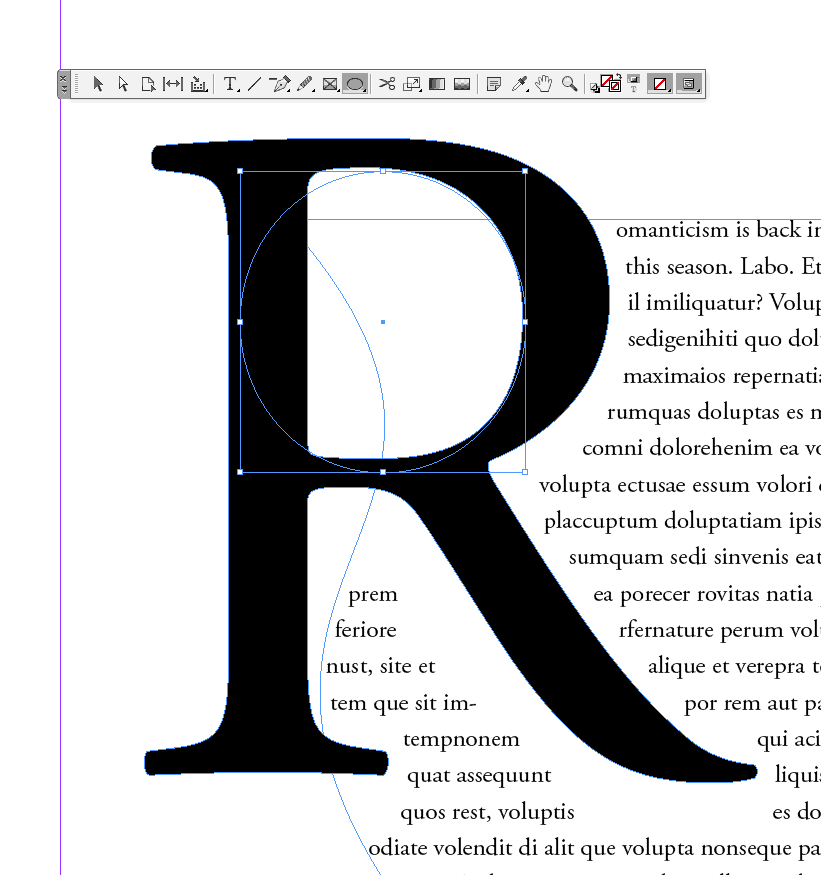
To do this, take the Ellipse Tool (L) and drag over the drop cap letter, roughly filling any gaps.
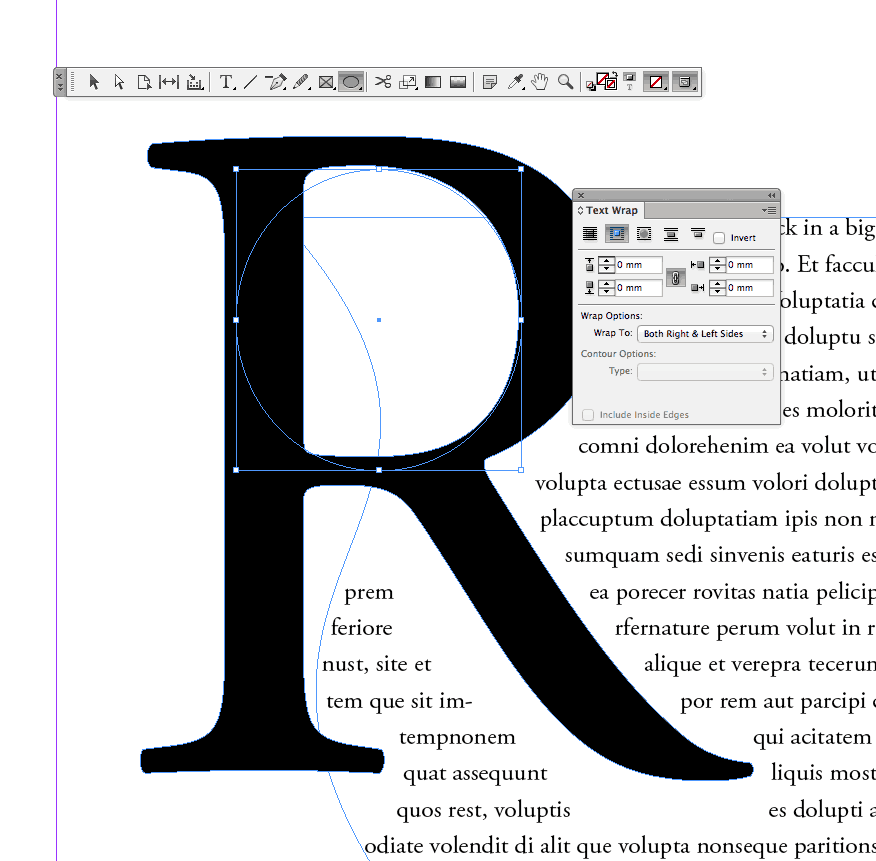
With the ellipse shape selected return to the Text Wrap window and set the option to Wrap Around Bounding Box.
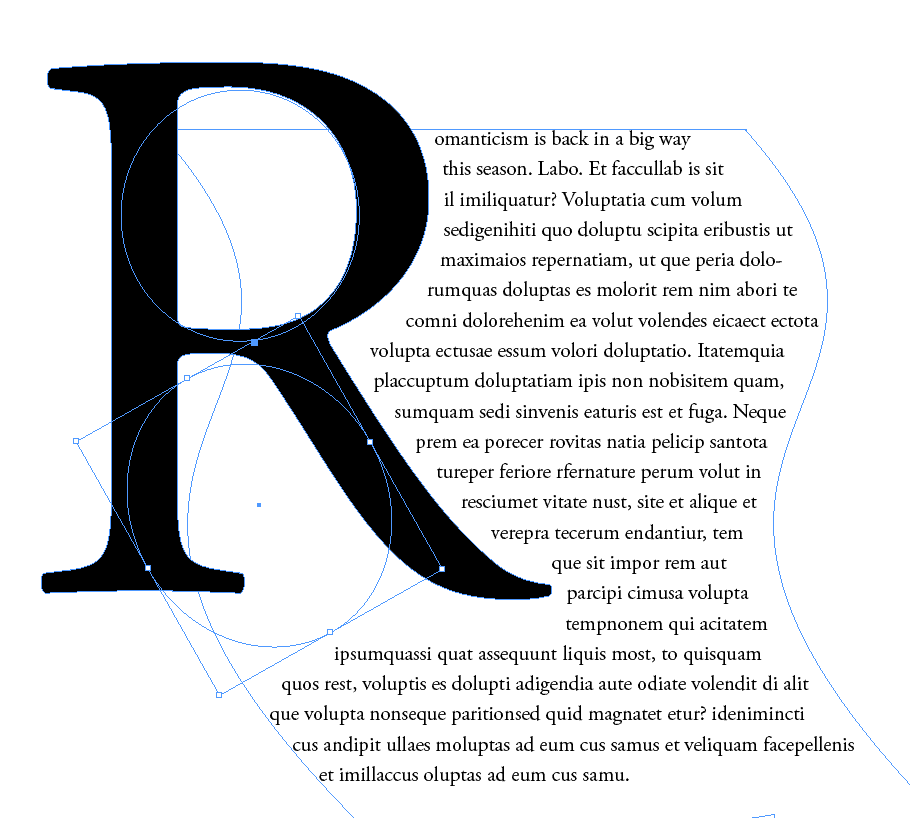
Select the shape and Edit > Copy, Edit > Paste if you need to push text out of any other gaps. Rescale and rotate the ellipse to fit the area best.
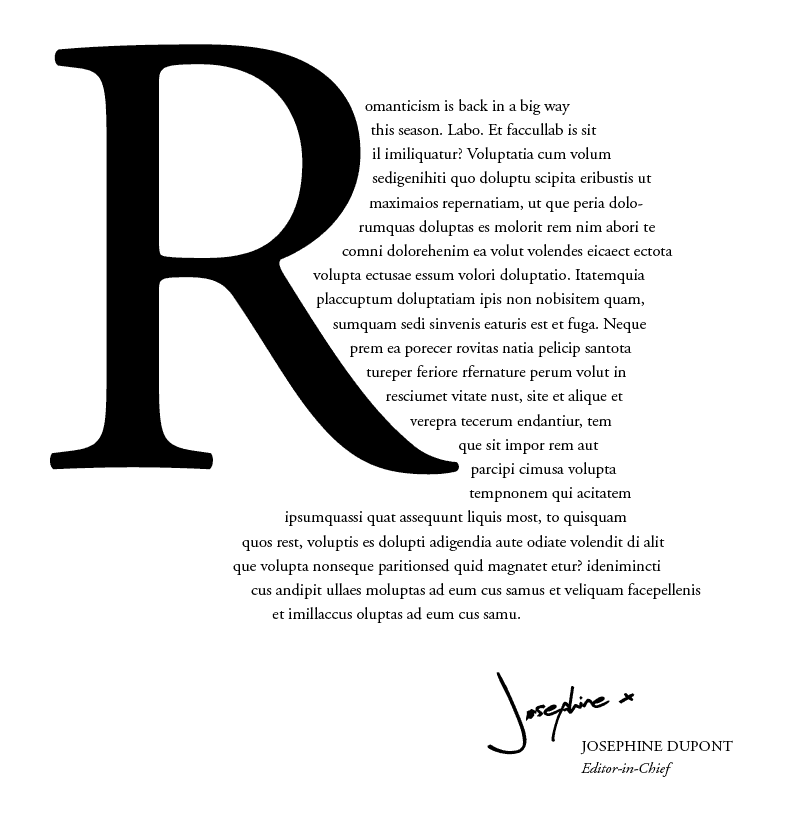
You might now need to move your drop cap letter (along with any ellipse shapes) up or down a little until the paragraph text flows around the shape evenly.